An assistant that actually gets things done.
Talk to it like a person
Powered by a top-tier AI brain, Jarvis holds a real conversation — sharp, quick, a little witty. Ask it anything, or just give it an order. It figures out what you mean and does it.
“Hey Jarvis, open Valorant and play some lofi.”Launches anything
Apps, Steam & Epic games — even ones that need admin. It remembers so it just opens.
Plays your music
“Play Blinding Lights” → YouTube Music. Pause, skip, volume — all by voice.
Game-aware
Spots your game, goes quiet and frees the GPU — back online when you're done.
Runs the browser
Open sites, close tabs, weather, reminders — all hands-free.
Voice-locked to you
It learns your voiceprint and ignores everyone else — and your YouTube videos. Only you can wake it or command it.
Sees your screen
“What's on my screen?”, “read this error,” “summarise this page.”
Never forgets
“Remember my exam is Friday.” Permanent memory, across every restart.
Terminal HUD
A fullscreen Stark-style dashboard — live gauges, status, logs.
Standing rules
“Go silent when I'm on YouTube.” Teach it once, it obeys forever.
Calls on Discord
“Call Alex on Discord” and it rings them for you.
Controls your audio
“Switch to my headphones,” “change my mic” — by voice.
In-app updates
Told the moment a new version drops — one click to grab it.
Jarvis, or the full J.A.R.V.I.S.
Jarvis
The assistant that gets things done.
- Full voice control with wake word
- Launches apps, Steam & Epic games
- YouTube Music, websites & tab control
- Weather, reminders & system status by voice
- Game-aware — goes quiet, frees your GPU
Jarvis Pro
Knows you. Sees everything. Yours alone.
- Everything in Jarvis, plus:
- Voice-locked — answers you, and only you
- Long-term memory that never forgets
- Screen vision — reads whatever you see
- Fullscreen Terminal HUD dashboard
- Standing rules & call awareness
- Discord calling & audio device switching
Not a concept. A dashboard on your screen.
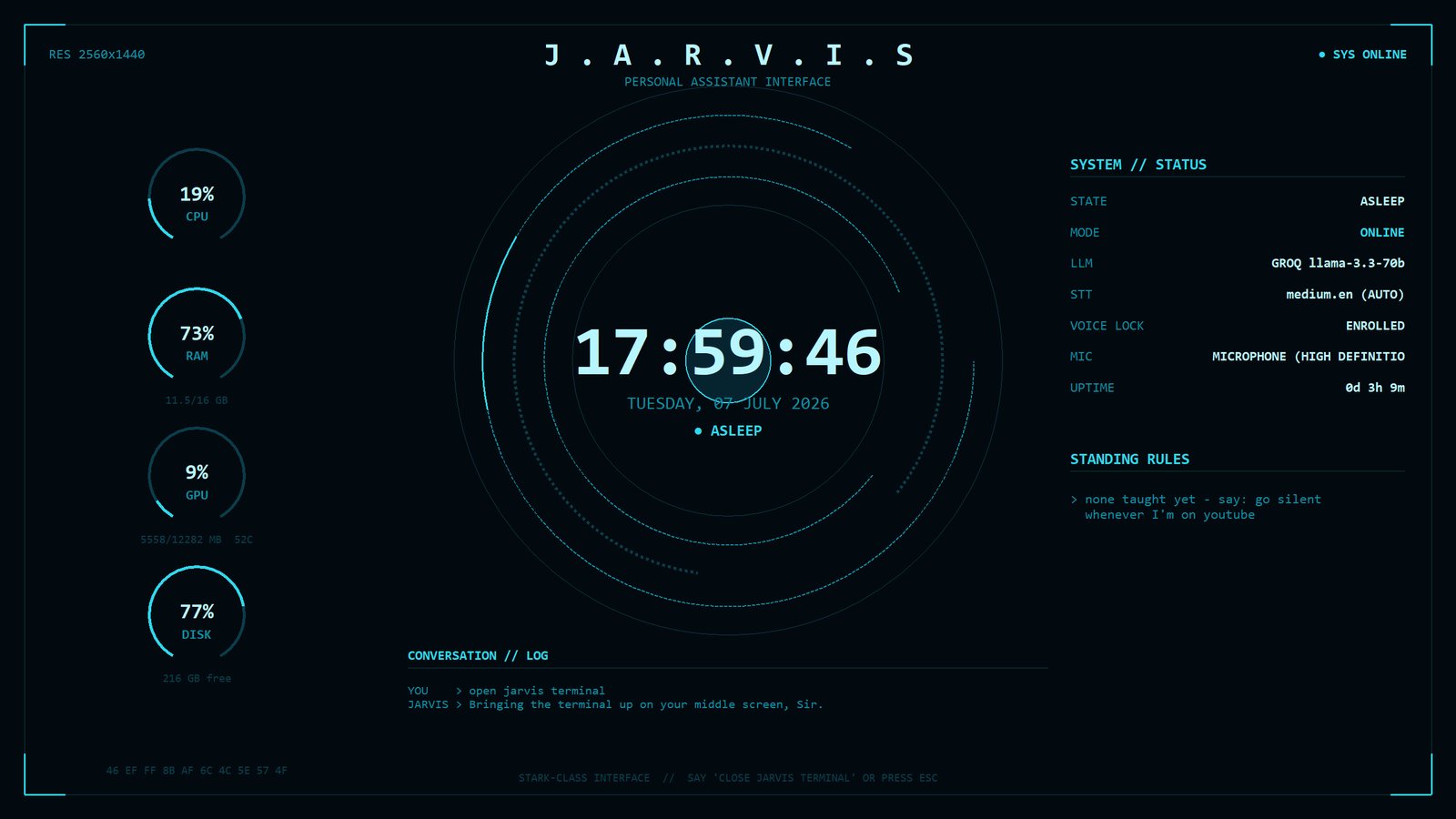
The Jarvis Terminal PRO — say “open Jarvis terminal” and your whole system goes Stark Industries: live gauges, status, standing rules and the running conversation.
Live in three steps.
Install Ollama
Jarvis's local brain — install it and leave it running, or drop in a free cloud key during setup.
Run the installer
Click through the wizard. It sets everything up and launches Jarvis when it finishes — no admin needed.
Learn your voice
Say “Hey Jarvis, learn my voice.” From then on it's yours, and only yours.
Runs on modest kit.
| Component | Minimum | Recommended |
|---|---|---|
| OS | Windows 10 (64-bit) | Windows 11 (64-bit) |
| GPU | None — runs on CPU | NVIDIA 6 GB+ VRAM (RTX 3060 / 4060+) |
| RAM | 8 GB | 16 GB |
| Disk | ~5 GB free | 10 GB free |
| Mic | Any microphone | Headset mic (cleaner wake word) |
Asked & answered.
Does my voice ever leave my PC?
No. The wake word and speech recognition run entirely on your machine. If you add a free cloud key, only the text of a command is sent to generate the reply — never your audio. Skip the key and it runs 100% local.
How do I get an access key?
Keys are issued personally by the seller — message them on WhatsApp or Discord. Your key locks to your PC the first time you download, so you can reinstall as often as you like on that machine. Only switching to a new PC needs a quick message to the seller to move it.
What's the difference between Jarvis and Jarvis Pro?
Jarvis handles the everyday: apps, games, music, browser, weather, reminders. Pro adds the identity layer — voice lock, permanent memory, screen vision, the Terminal HUD, standing rules, Discord calling and audio switching.
What do I need to run it?
Windows 10/11 and 8 GB RAM gets you started — Jarvis auto-tunes itself to your hardware. An NVIDIA GPU (6 GB+) makes it noticeably faster. No admin rights needed.
How do updates work?
Pro copies check daily and announce the moment a new version ships — one click on the Terminal grabs it with your key. Standard owners hear from the seller when updates drop.
Can friends use my key?
No — a key binds to the first PC that redeems it and won't work on any other machine, so a shared key is a dead key. A friend needs their own. (And on Pro, voice lock means your install answers to you alone anyway.)